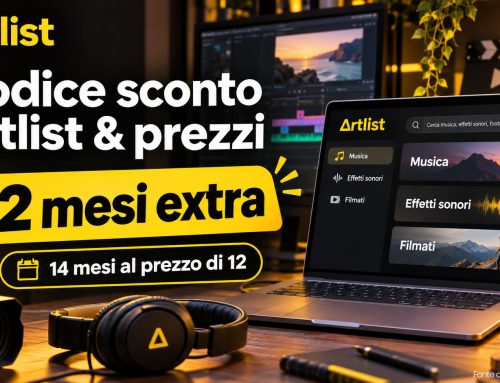
Looking for an Artlist promo code? Sign up for a new subscription through my link and get two extra months at no additional cost on an eligible annual plan. That means 14 months instead of 12. There is no coupon code to enter: the offer is activated through the link.
I use Artlist as my main source of music for the product videos and corporate films I create for clients. With the right license, you can use its music in commercial video projects and download a license certificate for each track. I explain how I keep those certificates and handle copyright claims further down.
Artlist is a platform I use myself and recommend. Sound effects can also make a real difference to a finished video. Although Artlist now promotes a wide range of AI tools, my recommendation for filmmakers who mainly need music is to start with the Music Pro plan, provided its license covers their work.
Disclosure: I may earn a commission if you subscribe through a link marked with an asterisk (*), at no extra cost to you.
You cannot simply use a hit song from the radio in a client video. Licensing a commercial recording is possible, but you need the appropriate permissions for both the recording and the composition. Arranging those rights can be expensive and time-consuming.
Using music without the necessary permissions can lead to copyright claims or restrictions on your video. Claims can also appear years after publication: I once had Vimeo flag a video I had uploaded long before. Fortunately, I had kept the Artlist license certificate and could show that I had a valid license to use the track in that video.
My advice, especially for client projects, is to download the license certificate as well as the music file. Keep both in a clearly organized project folder. I also recommend sending the certificate to your client when you deliver the finished video, so they have the licensing documentation if a question comes up later.
Artlist Pricing 2026: Choosing the Right Plan
If you mainly want to license music, Artlist’s range of AI plans can make the right subscription surprisingly easy to overlook. Open the pricing page and select Stock Catalog to find the music and sound-effects plans. The screenshots below show where to look.
About the prices below: These euro amounts are the German-market prices recorded for the screenshots below on 1 November 2026. Your checkout total may differ depending on your country, currency, taxes and subsequent price changes.
For your own social channels: In these pricing examples, Music & SFX Social starts at €9.99 per month with annual billing, or €13.50 with monthly billing. This plan can cover monetization on your own eligible channels, but it does not cover client work.
For client projects: If the Pro license covers your work and you only need music, Music Pro is the option I would start with. The price in my example is €16.58 per month, billed annually at €199. If you also need sound effects, look at Music & SFX Pro. These Pro music plans are billed annually; the displayed monthly amount is a monthly equivalent, not a month-to-month subscription.
Check the business-license requirements: Artlist specifies Max Business or Enterprise coverage for agencies, broadcasters, and companies or corporate groups with more than 50 employees. The requirements also apply when you create projects using stock assets on behalf of a client with more than 50 employees. Check the current terms against your business and your client’s intended use.
How to get the Artlist offer: If you arrived here looking for an Artlist discount code, you do not need to type one into a checkout field. New subscribers can get two extra months through my Artlist link* when purchasing an eligible annual plan. You pay for the annual subscription and receive 14 months instead of 12. At the €199 annual price in my example, that would mean 14 months for €199, subject to the final checkout total and offer eligibility.
Artlist also offers AI plans for generating voiceovers, images, videos and music. Their value depends on the tools and generation credits you need. For commercial projects, I would only pay for an AI package if I had a clear use for its tools.


Euro pricing shown in the screenshots, dated 1 November 2026 (Source: artlist.io)
Extra tip: Artlist also has a Refer a Friend program. If you have an active annual subscription, each qualifying friend who purchases a yearly plan through your referral link can earn you two extra months. On selected plans, 10 successful referrals can earn you a lifetime subscription. Open Refer a Friend in your account menu to find your personal link and check which plans qualify.
Is Artlist Worth It for Video Projects?
When I create a product video, explainer video or assembly tutorial, I usually deliver a complete first cut with music already in place. The client can then request changes. If I licensed every song separately, a request for a different soundtrack could mean paying for another license.
With an Artlist subscription, I can try different tracks without paying a separate licensing fee for each one, within the plan’s download and usage limits. Sometimes I even give clients two versions of the same video with different soundtracks, so they can choose the one that best suits their product and audience.
A note about YouTube Content ID: YouTube’s automated system can flag licensed music too. Depending on the claim, this may affect monetization or restrict where a video can be viewed. A Content ID claim is not automatically a copyright strike.
To help prevent these issues, add your channels to Artlist’s Clearlist. Supported platforms include YouTube, Facebook and Instagram. With an eligible Pro, Team or Business plan, you can also clear individual client videos on YouTube. Add your channels and videos while your subscription is active.

Add your channels and eligible client videos to Artlist’s Clearlist.
Even if you use the Clearlist, I recommend downloading the license certificate for every track in your project. I save these documents as PDFs and send them to clients with the finished video, so we both have a record of the music’s licensed use.
Download the certificates while your subscription is active, as they are no longer available to download after it expires. In your Artlist download history, look for Song License and then Song certificate. The screenshot below shows what to look for.
For stock music, make sure you complete and publish the project while your subscription is active.

Download and keep the license certificate for every track you use.
Free Music from the YouTube Audio Library
If you are just starting out and do not want to pay for music yet, the YouTube Audio Library is a useful place to begin. I used it for some of my earliest films, and it offers a good selection of music and sound effects.
Sign in at studio.youtube.com and select Audio library from the menu on the left. Check the license listed for each track: some require an artist credit in your video description, while others can be used without attribution. The Attribution not required filter helps you find the latter.
Tracks can be used in monetized YouTube videos under their respective licenses. If you plan to use them elsewhere, check the individual license terms for that use too.

Source: YouTube
Artlist Alternatives for Video Music
In my opinion, Musicbed.com offers some of the best music for film production. I particularly like its vocal tracks for wedding films. Musicbed offers both subscriptions and single-song licenses, with pricing and coverage depending on how and where you plan to use the music. I find that checking the different licensing options takes more time than I would like, which is why I use Musicbed less often these days.
Epidemic Sound is another option worth comparing. For freelance client projects and online ads, look at the Pro plan. The Creator plan is aimed at your own content and does not cover client work. Pro is available with monthly or annual billing, so check the current pricing in your currency and make sure the license covers your intended use.
Check the License Before Buying Music
Be cautious with offers that promise music for commercial use without clearly explaining the rights you receive. A low price alone does not tell you whether a license is valid. What matters is whether the provider can grant the rights you need and whether the license covers your project, client and distribution platforms.
Look for clear licensing terms, downloadable documentation and support if a copyright claim appears. Even properly licensed music can trigger an automated claim, so keeping your paperwork matters. Established services such as Artlist, Epidemic Sound and Musicbed are useful starting points, provided you choose a plan that covers your project.